Map, landmarks and survival guides for hiking in the forest, even
offline
Sylvor brings the map, GPS, compass, a breadcrumb trail, the
weather, a logbook and practical guides to your phone. No account
and no server: your data stays on your device.
Early version: the content is deliberately limited, see
what to know. The app itself is currently in
French only.
What Sylvor can do today
Every feature below is present in the app. Their limits are stated,
not hidden. The app's interface and survival content are in French.
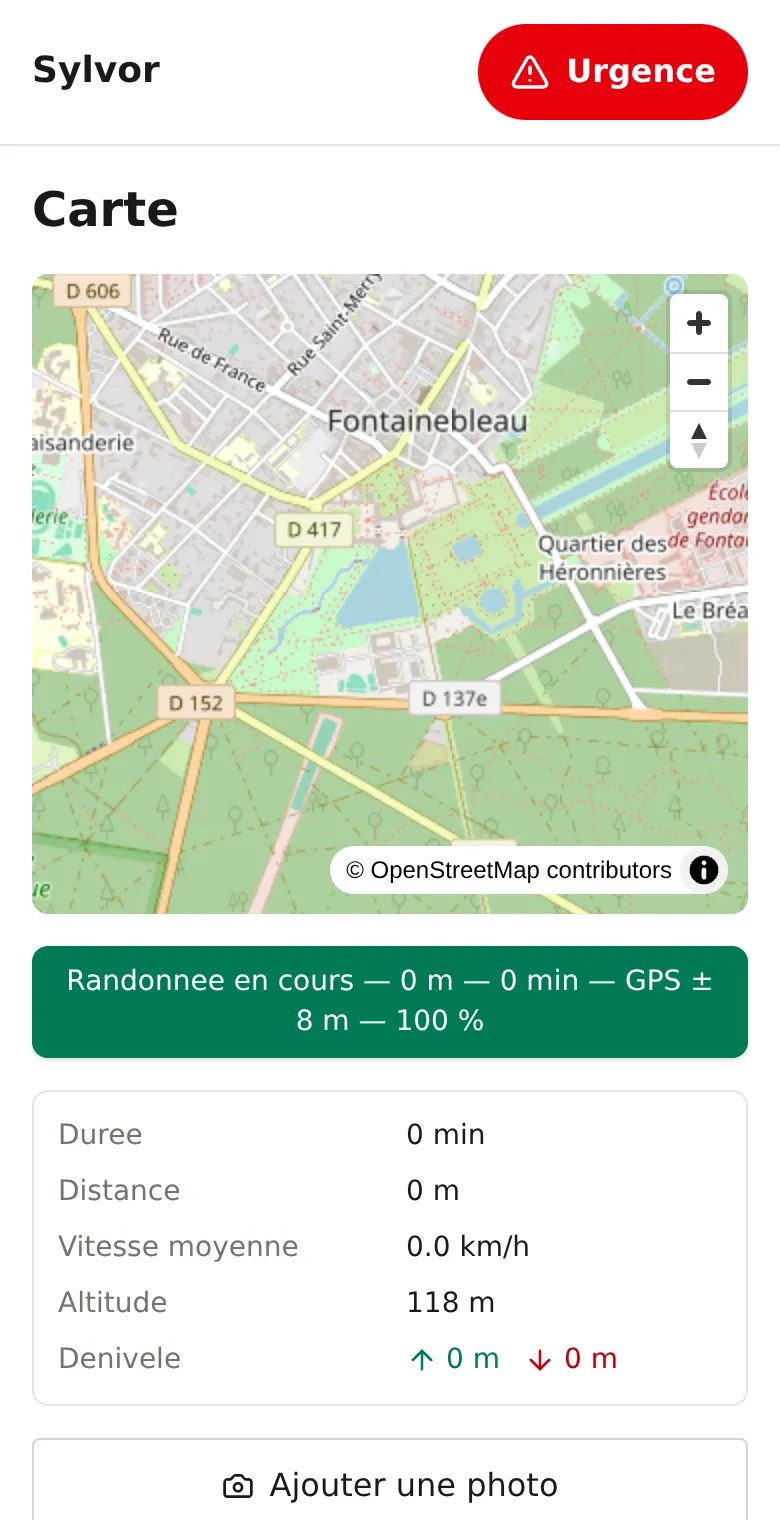
Map and GPS position
Your position on an OpenStreetMap base map, with the signal
accuracy and a compass. If the GPS is lost, the last known
position is shown as such, with its age, never as your current
position.
You know where you are and how reliable the measurement is.
One button records your track. A banner stays visible (distance,
duration, GPS accuracy, battery) and the dashboard shows average
speed, altitude and positive and negative elevation. Tracks can
be exported as GPX.
You follow your outing and keep your track in a standard format.
A long press on the map adds a point (place of interest, water,
hazard, bivouac, fire, remarkable tree, vehicle, shelter) with a
name, note and photo. During a hike, a photo also records its
position, altitude, time and the cached weather.
Your journal becomes a geographic memory of the outing, stored
locally.
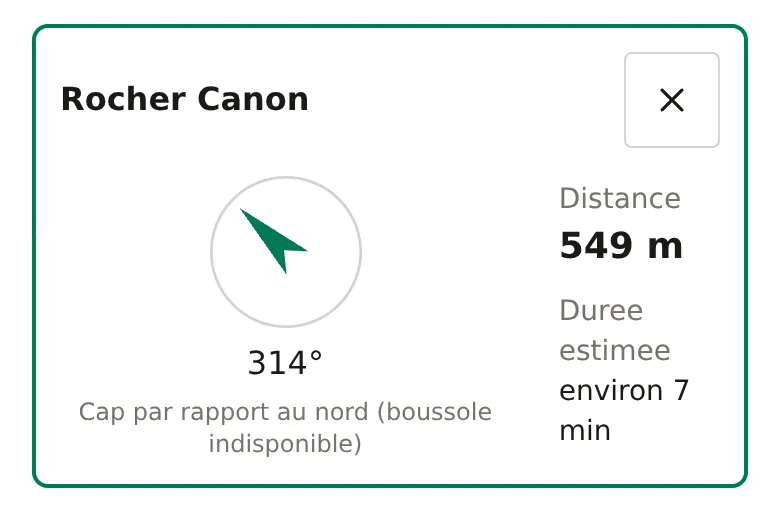
Pick a target: water point, landmark, starting point, last
known point or one of your own points. Sylvor continuously
shows the distance, the bearing and an estimated walking time,
with an arrow that follows the compass when it is available.
A clear direction to your car, your bivouac or a spring. Note:
this is a straight-line bearing, not a route along trails.
Real screenshot, simulated position. Compass not enabled: the
bearing is given relative to north.
Weather and daylight
Open-Meteo forecasts with thunderstorm, fog and frost alerts,
sunrise and sunset times and the time left before nightfall.
Offline, the last known weather stays displayed and is flagged
as offline.
You keep an eye on the weather and on when the sun sets.
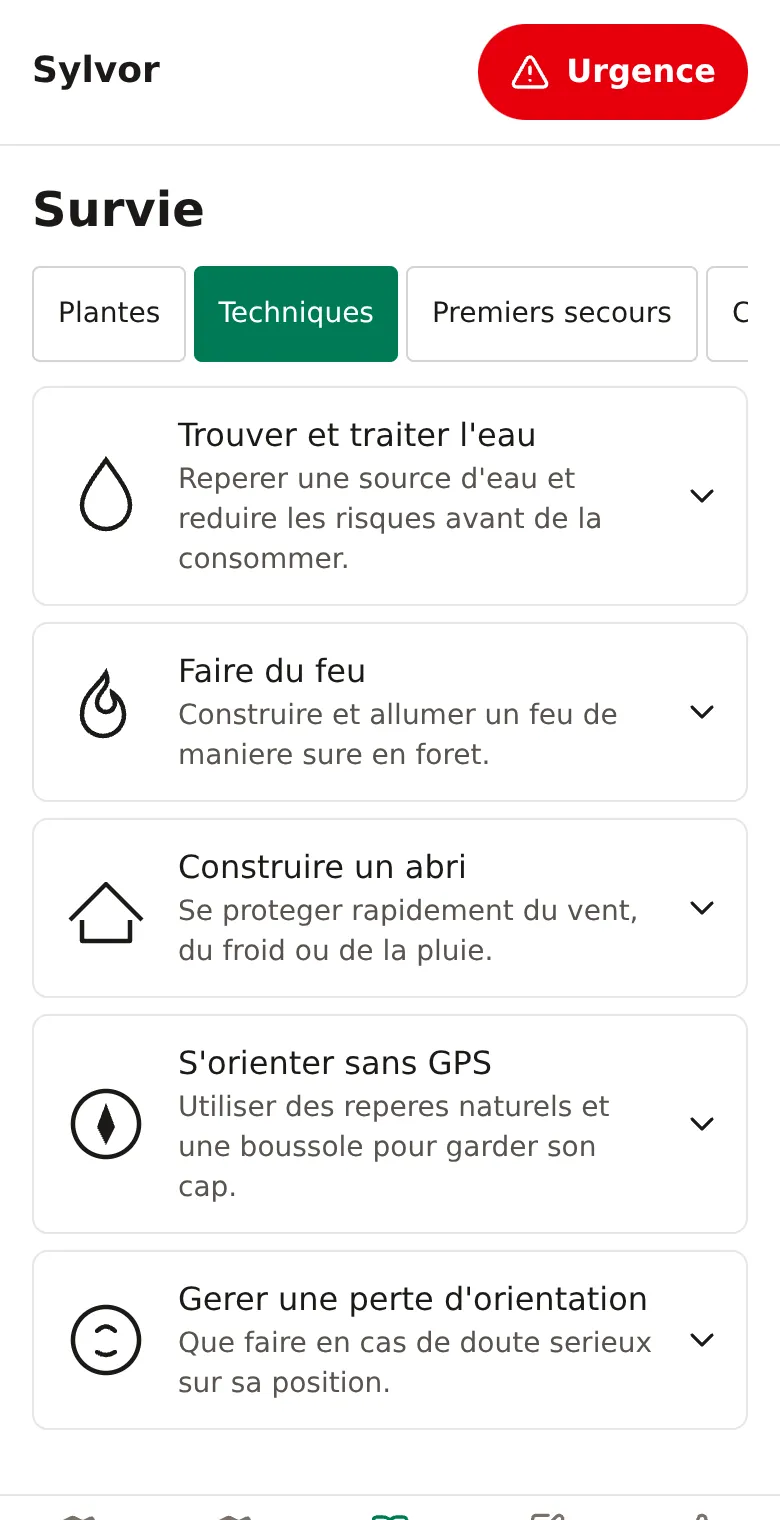
A starter set of illustrated guides, written in French: 5
techniques (water, fire, shelter, navigating without GPS,
getting lost), 5 first-aid sheets, 4 tree sheets, checklists and
a 6-question quiz. Text-to-speech is available.
The essentials readable without a network. Sylvor never
guarantees that a plant is edible.
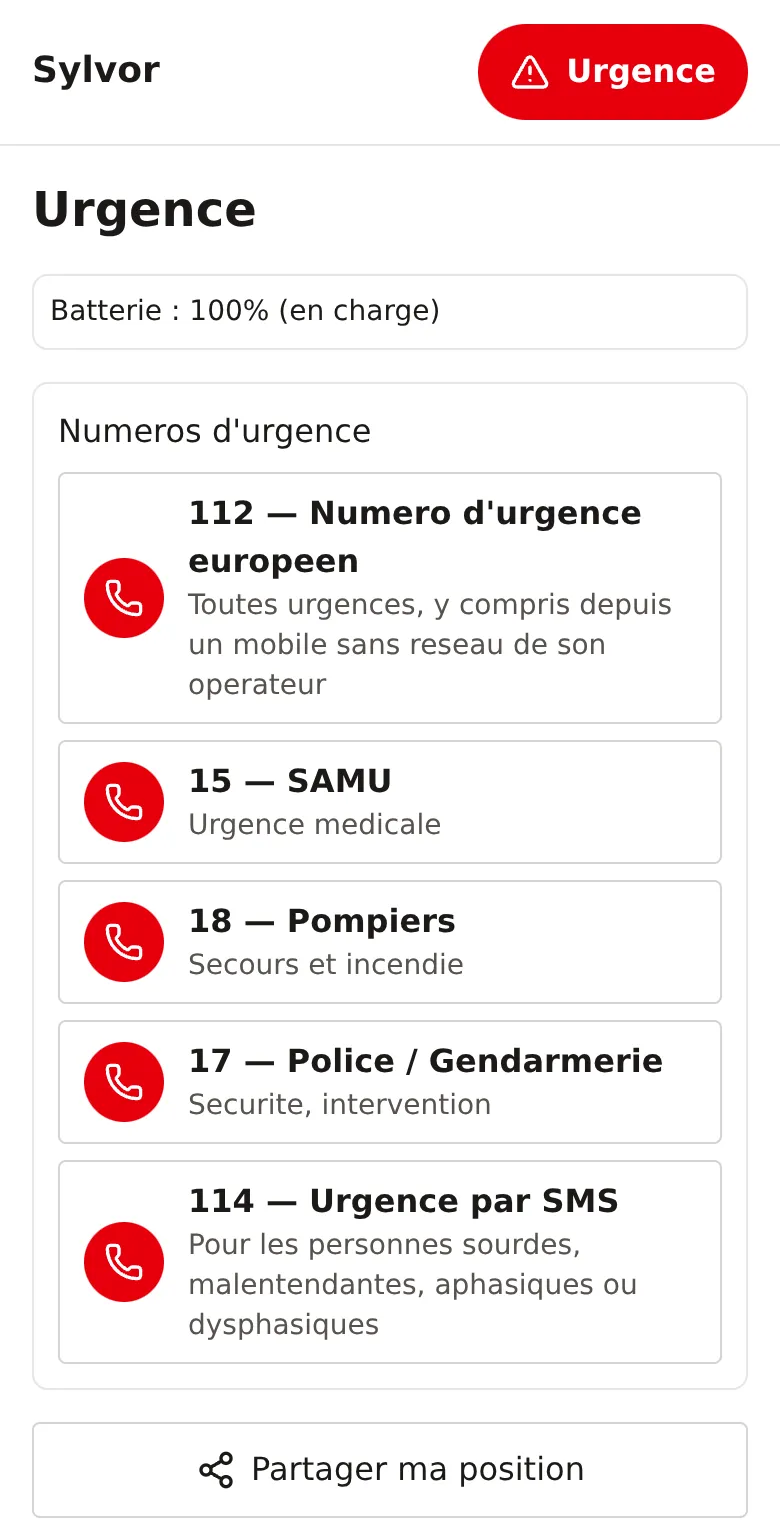
Direct dialing of the French emergency numbers (112, 15, 18, 17
and 114), sharing your position, a light and sound SOS, battery
level and a safety check-in with an expected return time. 112
works across the European Union.
Critical actions are one tap away. The check-in and the SOS are
local aids: no message is sent to anyone automatically.
A hiking notebook with position, weather and tags, optional
encryption entry by entry (the password is never stored), a full
JSON export and printing to PDF.
A memento of each outing that you keep. Photos are not included
in the JSON export.
Real screenshots of the interface, unedited, taken in an emulated
mobile browser with a simulated GPS position. The interface is in
French.
Map and dashboard of a hike in progress.
Illustrated survival techniques, expandable guides.
Emergency numbers with direct dialing and position sharing.
How it works
Open Sylvor
Go to
sylvor.swinux.ch in your
browser. No sign-up and no account.
Cache it (optional)
Open the app once with a network connection so that its content
is kept on your device. You can also add it to your home screen
if your browser offers it.
Allow location at the right moment
No permission is requested at startup: position, compass and
notifications are only requested when a screen needs them. If
you refuse, the rest of the app remains usable.
Walk, note, consult
Start a hike, navigate to a point, add photos and notes, or open
a survival guide. Everything is saved on your device.
Why use it
Everything in one place
Map, compass, weather, practical guides and emergency tools in a
single app, instead of juggling several.
Honest about its data
A stale position is flagged as such, cached weather is marked
offline, and unverified sample points are identified as such in
the data.
Your data stays with you
No account, no Sylvor server, no tracking: track, points, photos
and journal are stored locally on your device.
Made for the field
Light, dark, high-contrast and red-light themes, glove mode, a
colour-blind-friendly palette, adjustable text size and a
battery-saving mode.
Availability and use
Where to open it
In a browser, on a smartphone or a computer. It is designed
mobile-first.
Installation
Sylvor is a PWA: it publishes a manifest (with PNG icons) and a
service worker, and can be added to your home screen depending
on your browser.
Offline
After a first load, the interface, the guides, the journal and
your points work without a network. The base map is only
available for areas you have already viewed.
Language
The app's interface and its survival content are currently in
French only. This page is a translation of the French
presentation.
Internet connection
Only two external services: OpenStreetMap tiles for the base
map, and Open-Meteo for the weather (which then receives your
approximate position).
What to know
Starter content. Four tree sheets, five
techniques, five first-aid sheets, six quiz questions. The water
points and landmarks provided are examples not verified in the
field, and no risk zone is filled in yet.
No guided route. Distance and bearing are
straight-line: no trail data is available offline.
No guarantee. Sylvor never says that a plant is
edible or that water is safe to drink, and it replaces neither
first-aid training nor professional rescue. In an emergency,
call 112.
Experimental features. Fall detection is off by
default and never places a call on its own. The compass bearing
may be approximate depending on the device.
Ready to discover Sylvor?
Open the app, allow location when it asks, and set off with a map, a
compass and practical guides in your pocket.